Introduction
Laptop prices keep climbing in 2026. Several major brands raised their prices this year alone. Dell just entered this tricky market with the Dell 14S, a mid-tier laptop that sits below the Dell XPS 14. It aims to blend premium build quality with a friendlier price. But “friendly” is relative this year.
This review covers where the Dell 14S shines. And it answers a key question: does it make more sense than the laptops around it in Dell’s own lineup?
Design and Build Quality
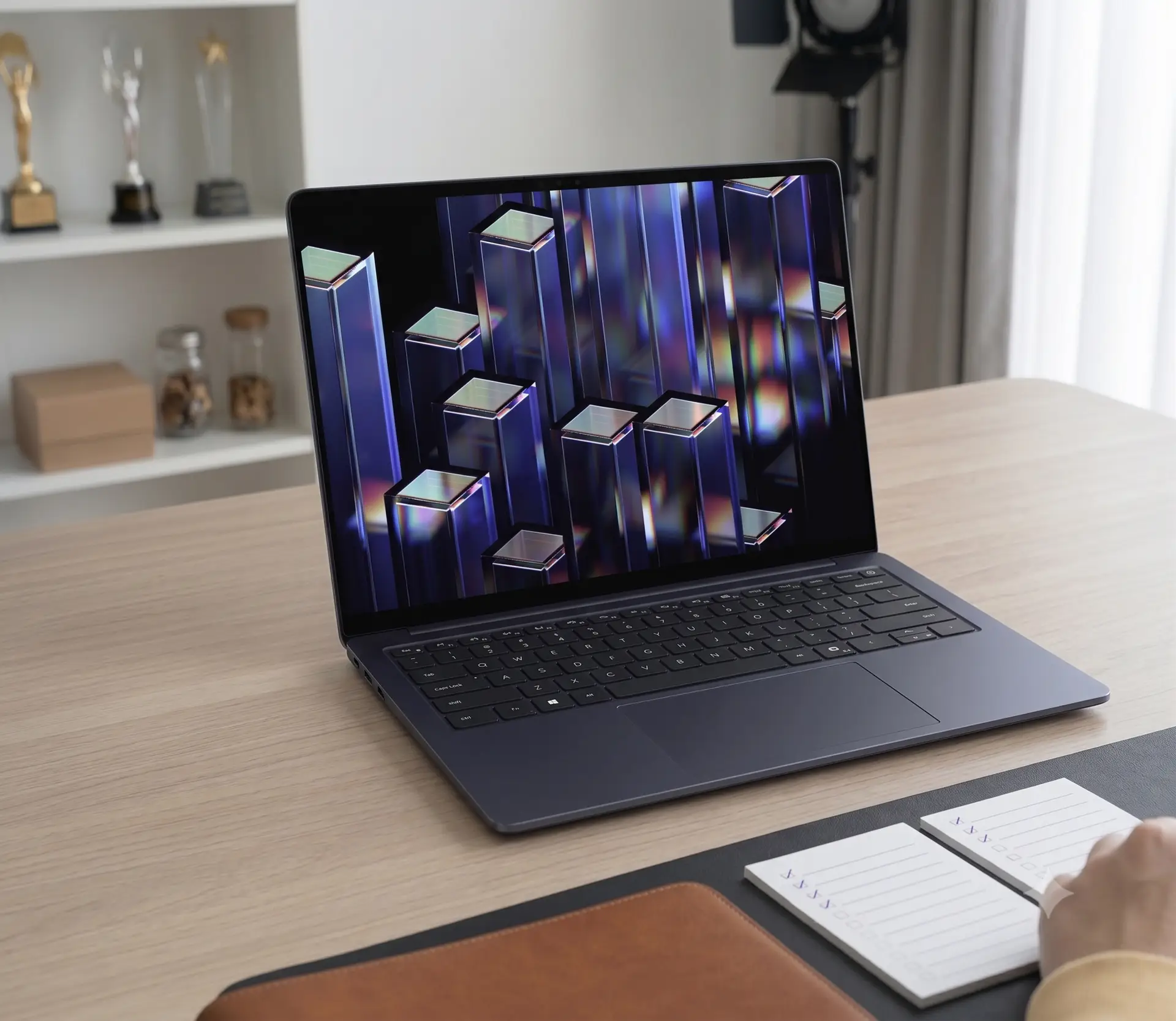
The Dell 14S replaces the Dell 14 Plus. That model descended from Dell’s older Inspiron line. This lineup has always sat in Dell’s middle tier. Yet the 14S feels like the most refined laptop that tier has ever produced. It uses an aluminum chassis. It measures a slim 0.61 inches thick. Buyers can also add an OLED display. These features once felt out of reach for this lineup.
Pricing reflects that shift too. The Dell 14S starts at $1,270. That’s several hundred dollars more than its predecessor. On paper, this laptop competes as a premium machine.
Some details still hint at a mid-range laptop, though. The chassis edges use a shinier plastic trim. The stereo speakers, rated at just 2 watts each, sound weak. The webcam adds noticeable noise, even in bright rooms. That’s a clear downgrade from the sharper webcam on the Dell XPS 14. Typing also takes more effort than expected. The keys may need extra actuation force, or simply more travel distance.
The port selection stays practical rather than cutting-edge. You get two USB-A 3.2 Gen 1 ports, HDMI 2.1, two Thunderbolt 4 ports, and a headphone jack. Both Thunderbolt ports also sit on the same side. That limits your charging options.
Performance and Configuration Options
Buyers can upgrade to an Intel Core Ultra X7 or X9 chip. But that upgrade costs a lot. The standard configuration uses an eight-core Intel Core Ultra 7 355 chip. It pairs with 16GB of RAM and 512GB of storage. This configuration costs $1,469. In multicore tests, it performs between Apple’s M4 and M5 chips.
That’s a solid result. But most buyers may not need it. Dell still sells the older Dell 14 Plus, which uses a Core Ultra 7 258V chip, starting at just $860. The newer chip only delivers about 14 percent better graphics performance. Most people won’t notice that difference in daily use.
Battery Life and the Smart Charging Quirk
Battery life stands out as a real strength here. Intel’s latest Core Ultra Series 3 chips drive this improvement. In our video playback test, the battery took about 20 hours to drop to 50 percent. Standby performance lags a bit behind Qualcomm Snapdragon laptops, though. The battery loses about half its charge after a few days in sleep mode with the lid closed.
One detail frustrated us during testing. The laptop ships with Smart Charging turned on by default. This feature caps the battery at 80 percent to protect its long-term health. Turning it off isn’t simple. Windows 11 settings don’t include this option. The pre-installed Dell Optimizer app doesn’t include it either. You need to install a separate MyDell app, or dig into the BIOS instead. That’s a clunky process for a setting many buyers will want to change.
Display Quality
The optional OLED panel delivers strong contrast and wide color coverage. Out-of-the-box color accuracy could still use some calibration, though. This glossy display also lacks an anti-reflective coating. Its brightness tops out at 300 nits, so it can struggle under office lighting. The standard IPS panel uses a matte finish instead. That finish may work better in brighter rooms.
Resolution presents a bigger drawback. Both display options max out at 1920 x 1200. That’s noticeably softer than the 2560 x 1600 panel on the older Dell 14 Plus. It also falls short of the sharper 2880 x 1800 resolution found on the larger Dell 16S. Dell has reportedly discussed a higher-resolution “QHD+” version. That configuration isn’t available for purchase yet, though.
How It Compares to the Competition
Budget alternatives put real pressure on the Dell 14S. The HP OmniBook 5 stands out as a strong example. It costs around $630 today. It offers similar specs and its own OLED option. It’s also noticeably thinner than the Dell 14S. Still, the Dell 14S wins in one key area: its touchpad. That single feature makes the laptop feel more premium overall.
Final Verdict
Dell placed the 14S right in the middle of its own catalog. The budget-friendly Dell 14 Plus sits on one side. The pricier Dell XPS 14 sits on the other. That middle spot makes the 14S a tough sell in some ways. Its metal chassis feels sturdy and well-made. Its battery easily lasts through a full workday, and then some. The touchpad also punches above its price class. Still, a few flaws stand out. The screen resolution trails behind cheaper Dell models. Audio quality and video call clarity both leave room for improvement. On top of that, buyers pay roughly $400 more than the Dell 14 Plus, yet get only a small performance boost in return.
Full Tech Specs
- Processor: Intel Core Ultra 7 355 (8 cores, up to 4.7GHz, 49 TOPS NPU)
- OS: Windows 11 Home, Copilot+ PC
- Graphics: Intel integrated graphics
- Display: 14″ touch, FHD+, 400 nits, ComfortView
- Memory: 16GB LPDDR5x (onboard)
- Storage: 1TB M.2 PCIe NVMe SSD
- Ports: 2x Thunderbolt 4, HDMI 2.1, 2x USB 3.2 Gen 1, headset jack
- Battery: 70Wh, 3-cell
- Weight: 3.28–3.40 lb depending on touch configuration
- Chassis: Aluminum